





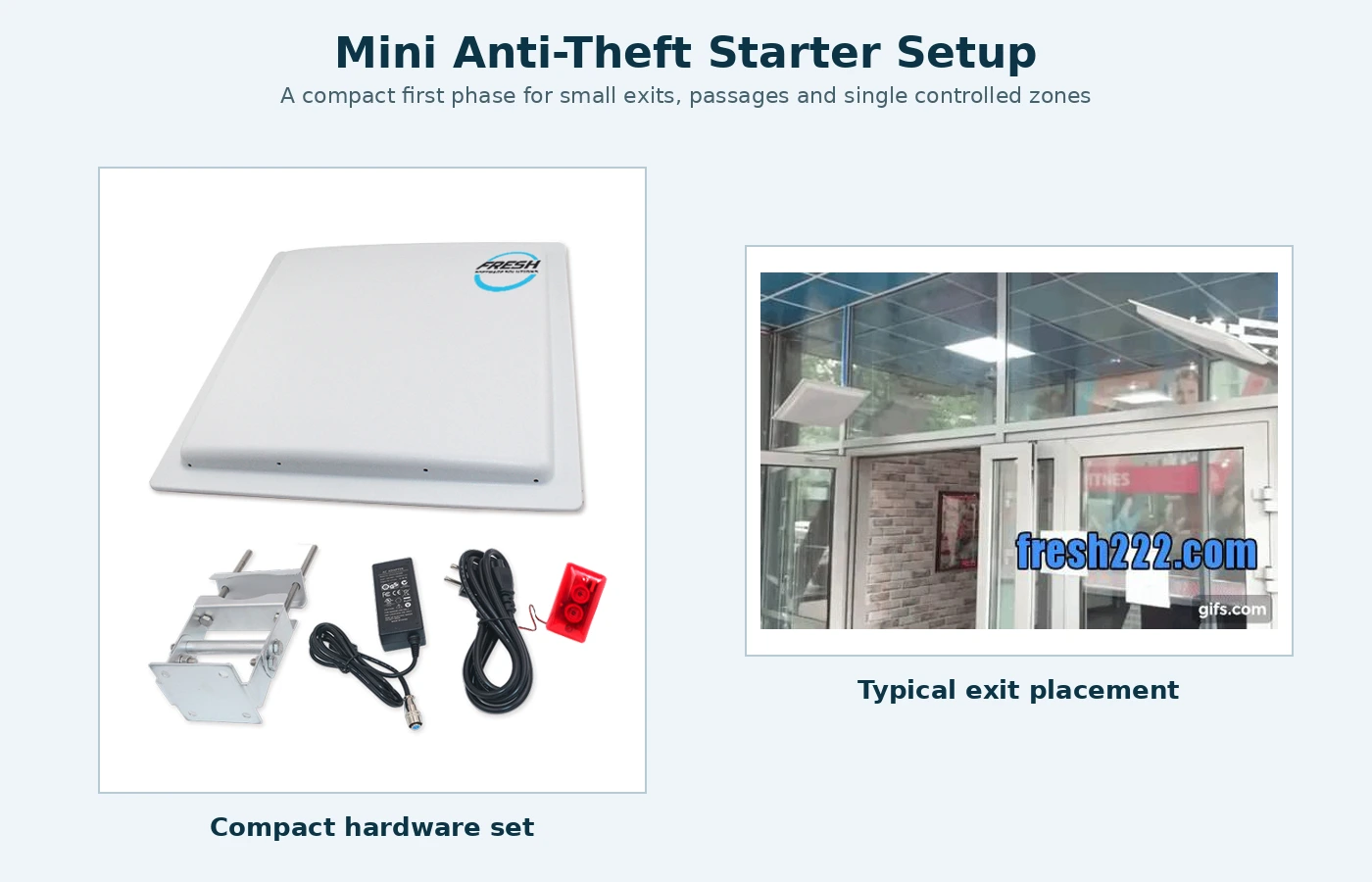
SMALL EXIT PROTECTION GUIDE
Single Exit Anti-Theft Planning should be planned around the real workflow. A mini anti-theft system is useful when one doorway or passage is the clear loss point and the facility mainly needs an immediate local alert. The design can stay simple while still leaving room for software, inventory or additional exits later. A practical single exit anti-theft planning project should be defined around the real workflow, not only a catalog specification.
Single Exit Anti-Theft Planning: Use one monitored point when the risk is concentrated
A stockroom door, equipment room, towel exit or other narrow passage can be a good candidate for a simple fixed reader and local alarm. There is little value in adding a database or several readers if staff only need to know when a protected item crosses that one point.
Shape the read area around the doorway
The reader should detect tagged items in the intended passage without reaching deeply into nearby storage or adjacent traffic. Door width, mounting height, ceiling materials, nearby metal and the type of tagged item all affect placement. Test the read area before final mounting.
Local alarm can be the complete phase-one solution
A light or sound alarm gives nearby staff an immediate indication without a PC. This is often enough for a small shop, storage area or single controlled exit. The staff response should be defined so employees know how to verify the item and assist the customer or coworker appropriately.
Add software only when records are useful
Software becomes valuable when management wants event history, multiple protected exits, item registration, inventory or remote notifications. Keeping those features optional makes the first installation simpler and preserves a clear upgrade path.
Choose tags for the actual asset
Textiles, general merchandise and metal equipment can require different tag constructions. The tag is part of the system design, not a universal accessory. Confirm the material, mounting method and expected handling before ordering a large quantity.
Common small-system mistakes
- Mounting for maximum range instead of a controlled doorway zone.
- Using the wrong tag type for the asset.
- No staff procedure for alarms.
- Adding software even though nobody needs records.
- No network/power allowance for future expansion.
- Treating local detection as a guarantee that an item cannot be removed.
Information to prepare
Send doorway width and height, ceiling/mounting photos, item type, tag quantity and the desired alarm action. Explain whether staff are near the exit and whether future software or mobile alerts are likely. That is usually enough to determine whether a compact standalone system fits the application.
Related planning guides
A practical commissioning example
A one-exit system is ideal for a small, well-defined risk area. Examples include an equipment room, towel doorway or stockroom where protected items have one normal route out. The project should deliberately keep the read area narrow enough that items sitting on a nearby shelf do not create constant events. If the room has several uncontrolled exits, solving only one doorway may create a false sense of protection and the layout should be reconsidered before installation.
How to validate the workflow before full rollout
Place representative protected items in storage near the doorway and walk other tagged items through the intended exit. Adjust the monitored area so stationary inventory is not continually detected while normal passage remains reliable. Test the local alarm, a restart and the staff response. If future software is expected, document power/network provisions and mounting so expansion does not require replacing the original reader.
Decisions to make before ordering
- Does protected property really have one primary exit?
- How close is stored tagged inventory to that doorway?
- What alarm action should nearby staff receive?
- Which tag type fits the protected asset?
- Should the first installation reserve network/power for later software or another exit?
Write these answers into the project scope before comparing equipment. They create an acceptance target for the installer and a training reference for the employees who will use the system later. If one of the answers changes, update the scope before adding hardware so the installation continues to solve the operating problem described on this page.
Project handover and future expansion
For mini anti-theft system: when one monitored exit is enough, keep a short handover record with the final layout, equipment locations, naming convention, normal operating steps and the person responsible for routine changes. Record the settings that were proven during acceptance instead of relying on memory. This makes later service, staff training and expansion much easier.
Expansion should follow a new operational requirement: another entrance, a larger inventory, additional reports, a new department or a need for remote visibility. Add the smallest component that solves that new requirement while preserving the working first phase. A modular project is valuable because the original installation remains useful rather than becoming a disposable pilot.
Recommended implementation sequence
Commission the single exit in three passes. First test the doorway with no nearby protected inventory to establish the basic read zone. Second, place normal tagged stock in its real storage position and confirm it does not create constant events. Third, walk protected items through the doorway in the ways people actually carry them and verify the local alarm and staff response. Adjust the zone before the mounting is considered final.
Keep the first configuration documented. If a second exit, software history or remote alert is added later, use the proven first doorway as the reference rather than changing several variables at once.
Frequently asked questions
Can a small anti-theft system work without a computer?
Yes. A compatible standalone reader can provide local detection and alarm without a continuously connected PC.
Can it later connect to software?
A modular configuration can be expanded with software and additional readers when needed.
Will the same tag work on metal and textiles?
Not necessarily. Tag construction should match the asset material and use conditions.
Is one reader always enough for a doorway?
That depends on doorway size, required coverage and site conditions; the read area should be tested.