




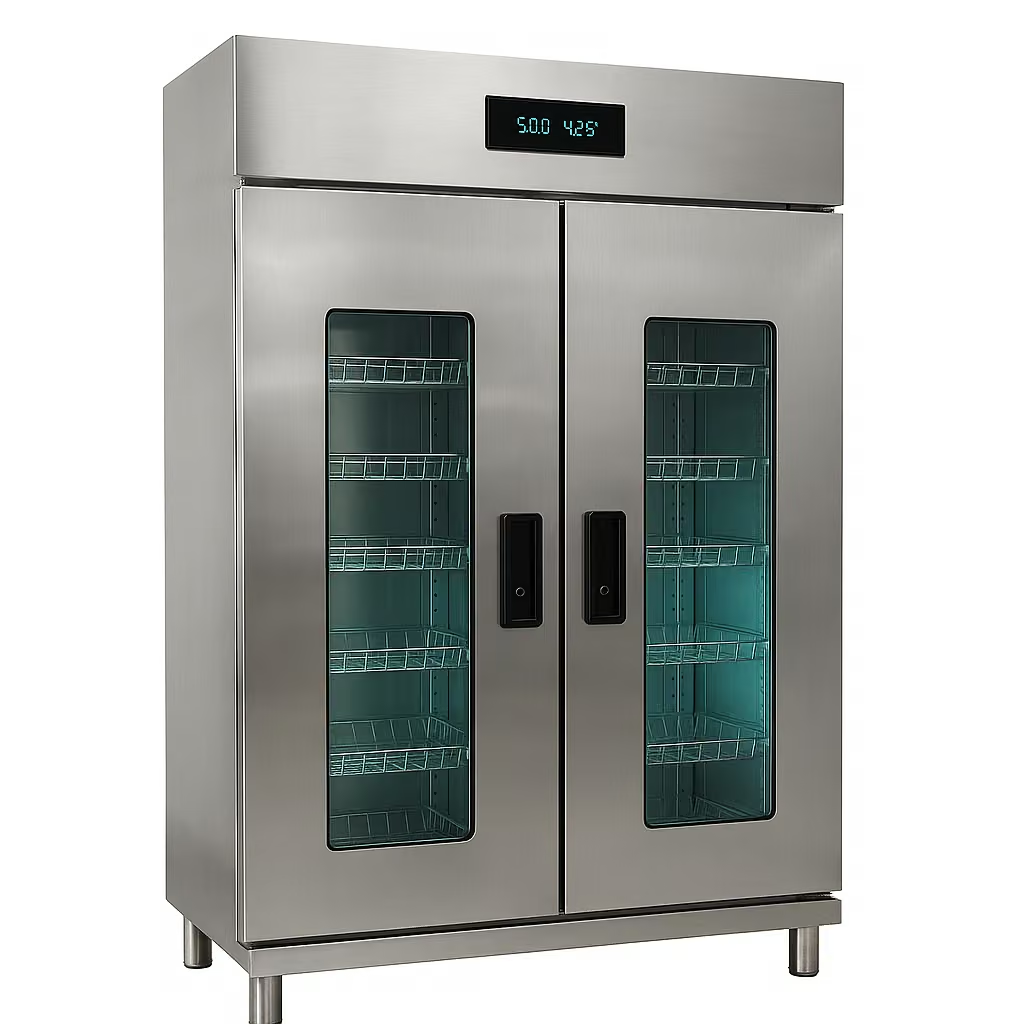
SMART TOWEL CABINET & MOBILE EVENT ALERTS
Towel Issue And Return Workflow should be planned around the real member or guest cycle. An authorized Card ID can open the cabinet, the RFID inventory compares stock before and after the door closes, removed towels can be assigned to that Card ID, and connected return points can clear returned items automatically. Expanded Fresh USA configurations can also add event history, local computer notifications and mobile alerts for selected events.
How Smart Towel Management Works
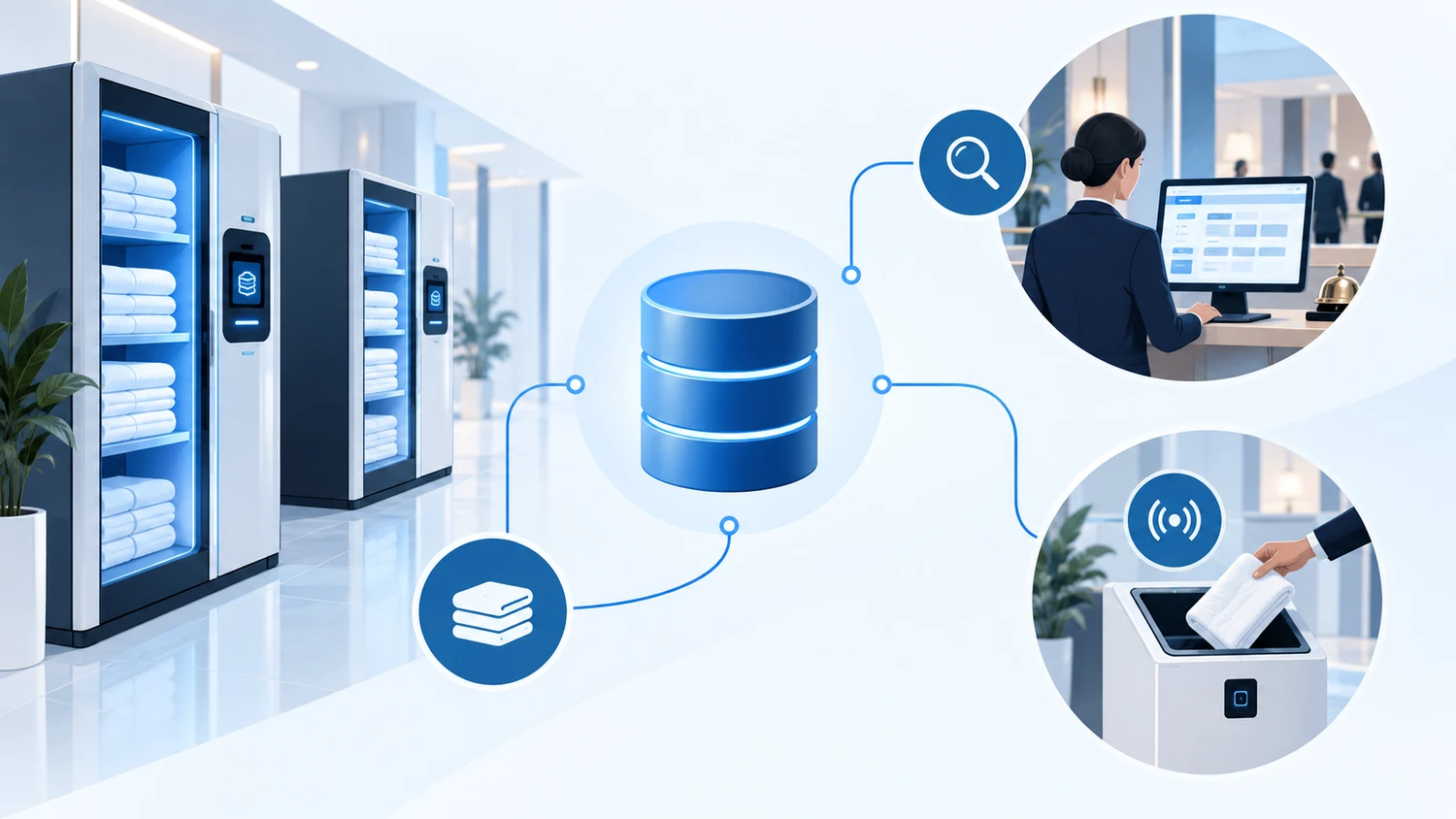
The workflow connects controlled towel issue, use, return and inventory updates in one operational cycle. Staff can see the process more clearly while guests and members use a simple self-service flow.
Controlled Towel Storage and Inventory
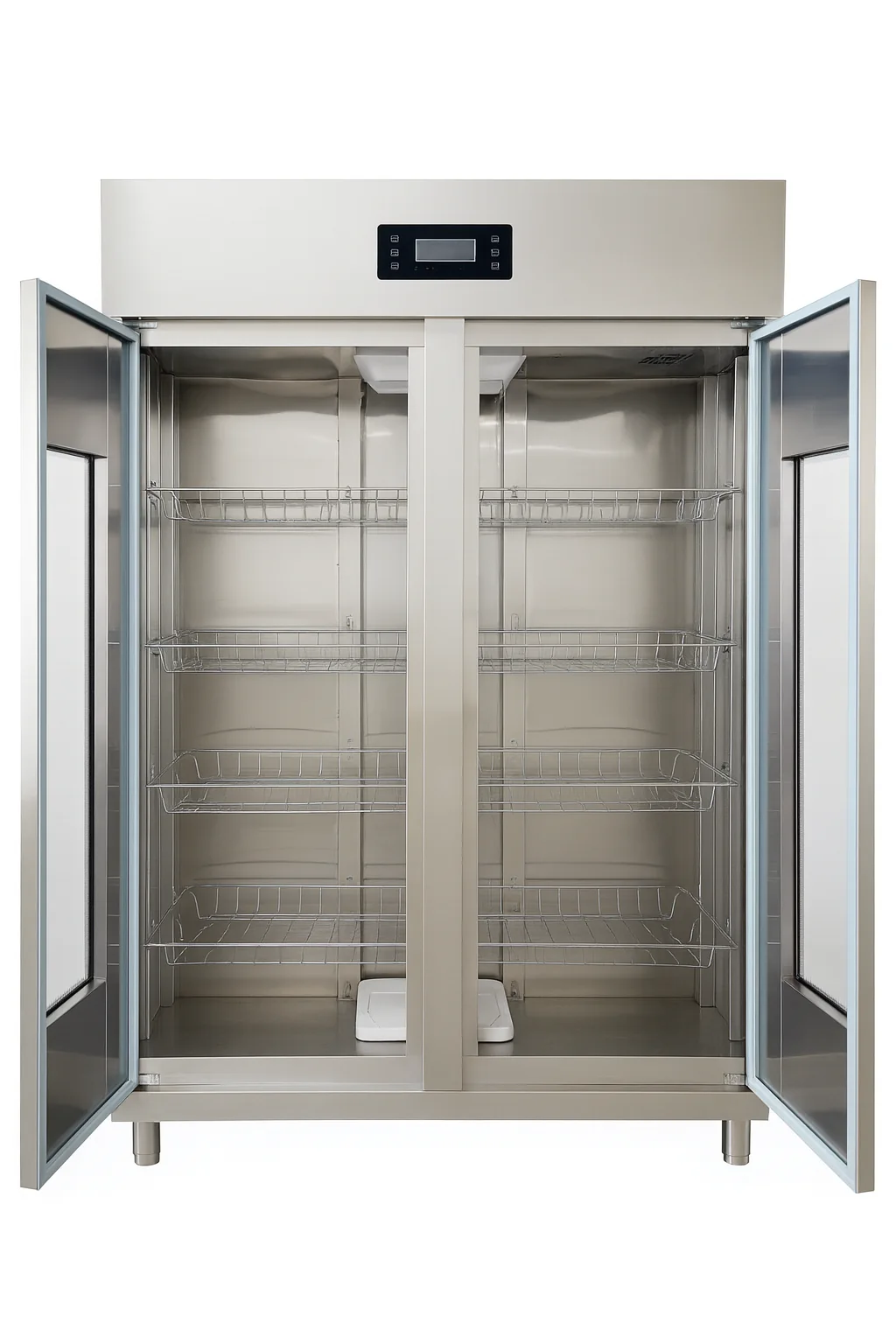
The open SCF-950 shows the internal shelving used for controlled clean-towel storage. The cabinet can be configured as part of a managed inventory workflow for hotels, gyms, spas and similar facilities.
Smart Towel Cabinet for Hotels, Resorts and Pools
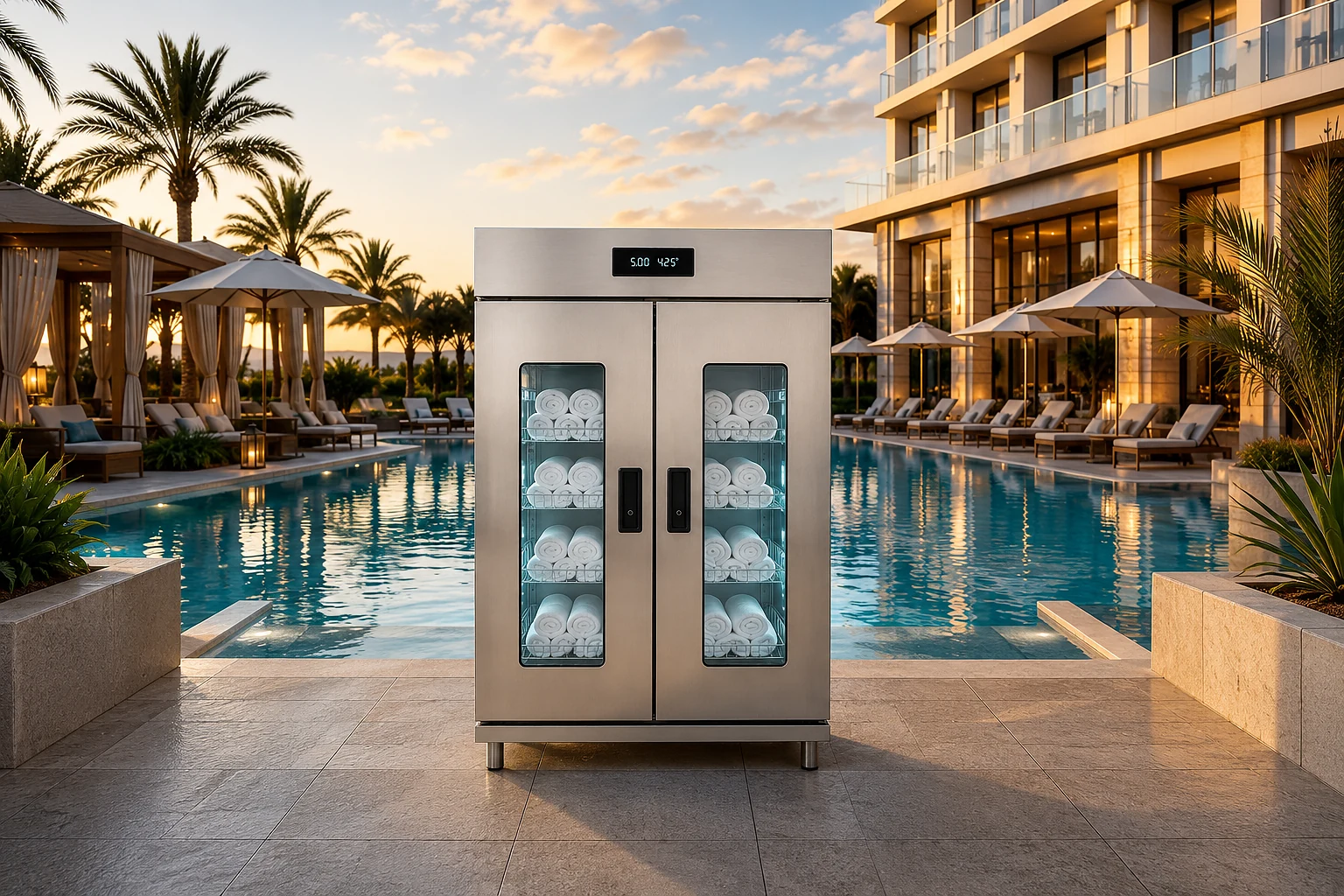
Smart Cabinet can be positioned where clean towels are actually needed, including hotel, resort, spa and pool operations. The final configuration depends on site conditions, user flow and the planned towel-service process.
Automatic Towel Return
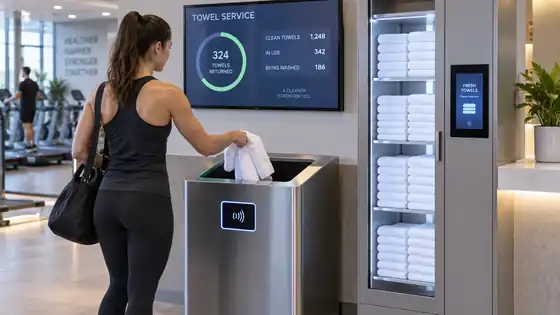
A dedicated return station gives users a clear place to return towels after use. According to the configured workflow, the system can register returned items and update the related operational status so staff have better visibility into towel circulation and replenishment needs.
Choose the towel workflow before choosing hardware
The right configuration depends on how towels move through the facility. A fitness club may need self-service clean-towel access and one protected exit. A resort may need several towel stations, return reconciliation and pool-area loss prevention. A hotel may need to connect towel activity with rooms, guests or property-management workflows. The system should follow that process rather than forcing staff to change a working operation only to fit the hardware.
- Estimate daily towel circulation, peak demand and the number of clean-towel distribution points.
- Define how used towels are returned and where laundry or housekeeping takes control of them.
- Decide whether users need controlled access, simple self-service or staff-assisted issue.
- Identify exits or property boundaries where towel loss prevention is required.
Towel Issue And Return Workflow: tap, take, close
In a controlled smart-cabinet transaction, the user first presents a compatible authorized card. Fresh checks the Card ID, unlocks the cabinet and allows the member or guest to remove one or more tagged towels. A door or latch sensor confirms that the cabinet has been closed, and the RFID inventory is read again.
The software compares the cabinet stock before and after the transaction. Towels that disappeared from the cabinet during that transaction can be associated with the Card ID that opened the door. Staff can then review cabinet stock, outstanding towel balances and event history instead of relying only on manual counts.
Return towels without scanning the card again
A connected return bin or return point can read the reusable washable RFID tag in a returned towel. Because the system already knows which Card ID currently holds that tagged towel, the return can reduce the outstanding balance automatically. The member or guest does not need to scan the card a second time just to return the towel.
This is especially useful in fitness clubs, hotels and resorts where the issue point and return point are separated. The return station can be connected to the same Fresh database so the towel cycle closes even when the return happens at a different authorized location.
Mobile alerts and event notifications
Fresh USA now supports optional mobile alerts and event notifications in expanded loss-prevention configurations. When a configured event occurs, staff can receive a live notification on the local computer and on a mobile phone. The same event can be recorded in software history for later review.
For example, an overhead reader at a pool, spa, fitness or towel-area exit can detect a tagged towel leaving the protected zone. The site can use a local alarm or a polite voice reminder, and it can also notify designated staff. A small installation can still begin as a stand-alone alarm and later add software, event logs, mobile notifications and additional exits without changing the basic towel workflow.
Membership, hotel and database integration
The smart cabinet can also be integrated with a membership, hotel or other customer database when the external system can provide a supported API or database interface. A simple one-way integration can synchronize Card IDs and active or inactive status into Fresh. A two-way integration can additionally return towel events, balances or other agreed data to the customer system.
For hotel workflows, an active Card ID can authorize cabinet access, removed towels or robes remain associated with that Card ID, and returned tagged items clear the corresponding balance. When the hotel makes the Card ID inactive, cabinet access can be blocked while transaction history remains available for management review. The hotel's own policy determines what to do with any outstanding balance at checkout.
Inventory, washable tags and daily operations
Towels can be supplied with washable UHF tags already sewn into the textile or compatible tags can be integrated into an existing towel program. Tag choice must match the washing process, expected lifetime and reading environment. Once each towel has a unique identity, software can support inventory counts, issue/return records and reconciliation between clean storage, use, return and laundry.
An optional handheld inventory reader is useful for fast audits in laundry rooms, carts, closets and storage areas. This gives staff a practical way to reconcile the physical towel count without scanning every towel one at a time.
Scalable towel management without mandatory monthly software fees
Fresh USA systems can be deployed in stages. A facility can start with one protected exit, then add software and inventory; or start with a smart cabinet pilot and later add return stations, more cabinets, additional exits and external integrations. The objective is to reuse compatible equipment as the project grows rather than replacing the pilot when the facility expands.
For current cabinet, tag and loss-prevention options, use the Fresh USA online shop. For membership-card, PMS, room-assignment or other integration requirements, send the existing card type, database information and intended workflow so the project can be scoped correctly.
A practical pilot can begin with one cabinet, one return point and a controlled batch of RFID-tagged towels. Validate card authorization, issue, return, balance clearing, event history and staff notifications first. After the workflow is proven, the same architecture can expand to more cabinets, return points, overhead exit readers and additional clubs or properties.
Towel management questions
Can the system work with towels that already have sewn-in tags?
Potentially, but the tag protocol, memory, programming and washing suitability must be verified before compatibility is confirmed.
Do we need both a cabinet and an exit alarm?
No. They solve different problems and can be used independently. Use a cabinet for controlled distribution and inventory; add exit protection only where unauthorized removal must also be monitored.
Can a pilot expand to multiple locations?
Yes. Compatible cabinets, return points, readers and software can be added after the initial workflow is proven.
Can staff receive mobile notifications when a protected towel event occurs?
Yes. In expanded configurations, selected events can generate live notifications on the local computer and on a mobile phone, with event history retained in software.
Does a member or guest need to scan the card again when returning a towel?
Not necessarily. A connected RFID return point can identify the tagged towel, find the Card ID currently associated with it and reduce the outstanding balance automatically.
Towel Issue And Return Workflow: project inputs to define first
Before comparing equipment, document item type, quantity, issue point, return point, storage, laundry handoff, monitored exits and the staff response when an exception occurs. The purpose of this step is to turn a broad idea into an operating requirement that can be tested. A quotation is much easier to compare when every option is measured against the same workflow instead of against a different marketing claim.
For towel issue and return workflow, write down who uses the system, what a normal successful event looks like, what should happen when something is denied or missing, and who is responsible for maintaining users, items or settings after installation. These details reduce surprises during commissioning and help keep the first phase appropriately simple.
- Define the normal operating sequence from start to finish.
- List the physical dimensions or capacity limits that affect the project.
- Separate must-have functions from features that can wait for a later phase.
- Identify the staff member or team responsible for day-to-day administration.
- Decide what information must be recorded and what can remain standalone.
- Write a short acceptance test before equipment is ordered.
Test the real workflow before full rollout
Before full deployment, test normal issue, normal return, missing items, authorized removal, busy periods, laundry transfers and the way staff resolve an exception without slowing normal users. A useful test is based on the actual site and representative users or items. It should confirm not only that the equipment works, but that the entire operating sequence is understandable and repeatable for the people who will use it every day.
A well-defined towel issue and return workflow setup should be tested with representative users, items and normal exception cases before full rollout. Record the working settings, physical positions and staff steps that produced the accepted result. That baseline is valuable later when equipment is moved, expanded or serviced.
Measure the result and keep expansion simple
After launch, review return rate, unresolved shortages, stock accuracy, replenishment effort and how quickly staff can investigate a missing item. The first objective is to confirm that the original operating problem improved. If the process is already working, expansion should add a specific missing capability rather than complexity for its own sake.
Documenting this workflow makes training, troubleshooting and future expansion easier. A later phase may add software, more control points, additional storage, reports or integrations, but those additions should build on a workflow that already works reliably.
For related planning material, continue to the towel and textile guides. Keeping related pages connected also helps staff and buyers move from a broad planning question to the specific system they actually need.
Planning questions
Should the first phase include every possible feature?
No. Start with the functions required to solve the current operating problem. Add optional reporting, additional zones or integrations when there is a clear reason for them.
What information is most useful before requesting a quote?
Send site dimensions, representative photos, approximate volume, the normal workflow, the exception you want to control and any existing equipment that the new system must work with.
How should future expansion be handled?
Keep the original acceptance criteria and working settings. Expand from that baseline so new hardware or software adds a defined function without replacing parts that are already doing their job.