




HOW AUTOMATED UNIFORM STORAGE WORKS
Automated Uniform Storage Workflow should be planned around the real workflow. An automated uniform system brings the required garment position to the operator or issue point instead of making staff walk through long racks. It can remain a simple motorized storage system or expand into employee identification and garment tracking. A practical automated uniform storage workflow project starts with room dimensions, garment size and peak retrieval flow.
Automated Uniform Storage Workflow: The mechanical idea is straightforward
Uniforms hang on organized storage positions along a powered conveyor or carousel. The system rotates until the required position reaches the pickup point. Number search can reduce manual scrolling, especially when hundreds of garments are stored in a compact room.
Identification can be simple or detailed
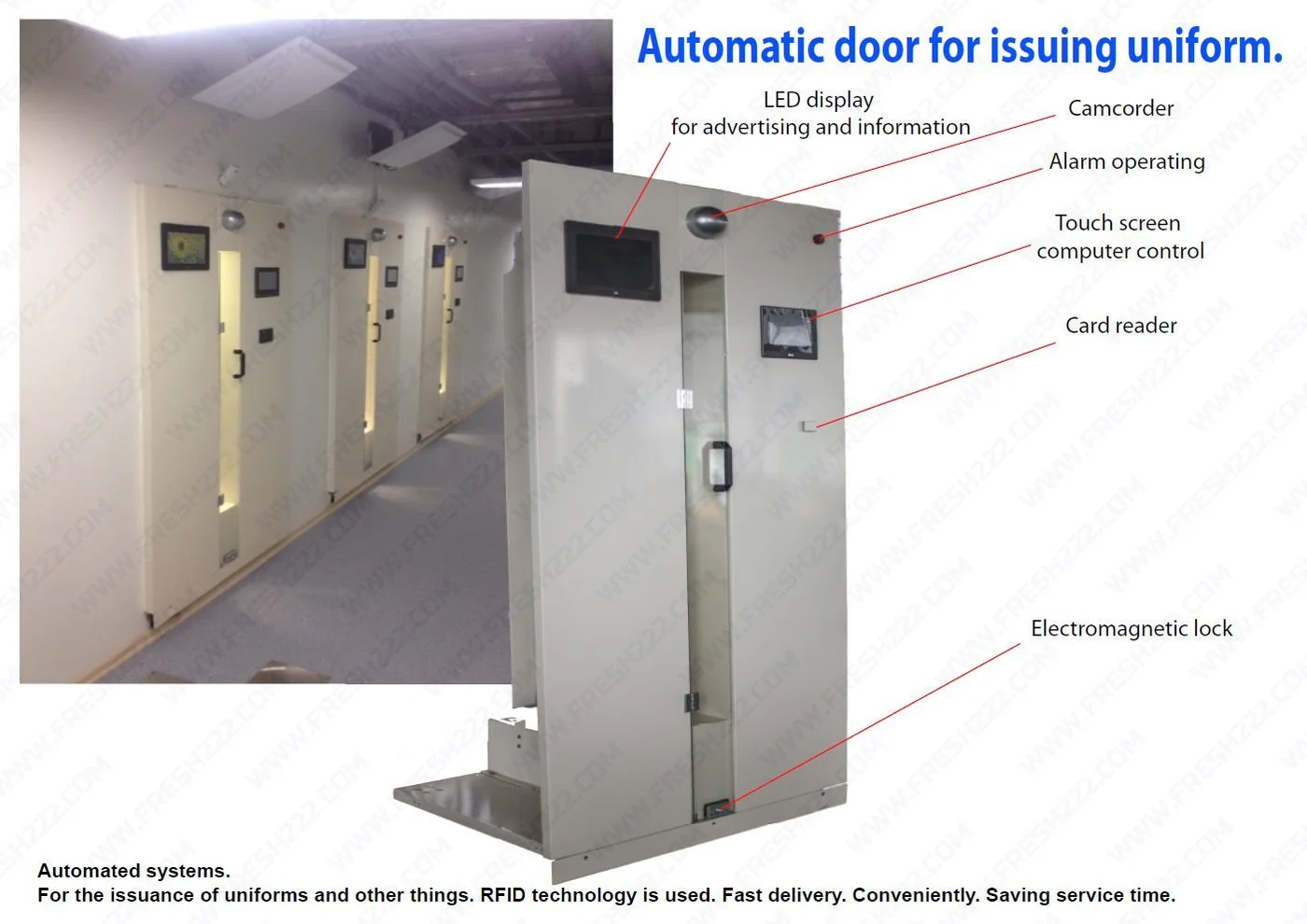
A position may correspond to an employee, department, garment size or order. If the business needs item-level history, individual tags and software can connect a specific garment to the database. If not, numbered positions may provide the operational benefit with much less complexity.
The return path matters as much as issue
Used uniforms need a clear return point for laundry. The employee should not have to navigate the clean-storage process simply to return an item. A separate return bin or reader can keep the workflow fast and help the laundry team reconcile what is coming back.
Room layout determines usable capacity
Ceiling height, garment length, conveyor turns, operator space and loading access all affect the design. Double-tier layouts can increase capacity only when garment length and staff handling make the second level practical.
Start with the smallest useful automation
A facility may begin with motorized storage and number search. Later it can add employee access, inventory records, return tracking or integration when those functions solve a known problem. Keeping the first phase modular avoids replacing the mechanical system as requirements grow.
What to test during a pilot
Test peak retrieval speed, search accuracy, employee handoff, loading workflow and return flow. Include long or bulky garments, not only the easiest items. The pilot should prove the daily process rather than demonstrate the conveyor moving in an empty room.
Project information to prepare
- Room length, width and ceiling height.
- Maximum garment length and garment types.
- Peak employee changes per shift.
- Total clean garments to be stored.
- Desired identification method.
- Return and laundry workflow.
- Expected future capacity growth.
Related planning guides
A practical commissioning example
An automated uniform storage system can be simple: garments are placed on known conveyor positions and the operator calls the required position to the service point. The project becomes more complex only when employee identification, garment assignment or laundry status is added. Separate these layers during planning. Mechanical storage should work reliably on its own, while software functions should be justified by a specific operational need such as faster employee issue or clearer accountability.
How to validate the workflow before full rollout
First test the conveyor with realistic uniform weight and length. Then verify the position-search method with random retrievals. If software or employee identification is part of the project, test it as a second layer using real issue/return scenarios. Document how staff continue operating during a temporary computer or network problem so a software issue does not unnecessarily stop access to clean uniforms.
Decisions to make before ordering
- How many uniforms and garment types must fit?
- What physical clearances are required for the longest items?
- Does staff search by position, employee or garment ID?
- Can the mechanical system operate if software is unavailable?
- What future tracking functions may be added later?
Write these answers into the project scope before comparing equipment. They create an acceptance target for the installer and a training reference for the employees who will use the system later. If one of the answers changes, update the scope before adding hardware so the installation continues to solve the operating problem described on this page.
Project handover and future expansion
For how an automated uniform storage system works, keep a short handover record with the final layout, equipment locations, naming convention, normal operating steps and the person responsible for routine changes. Record the settings that were proven during acceptance instead of relying on memory. This makes later service, staff training and expansion much easier.
Expansion should follow a new operational requirement: another entrance, a larger inventory, additional reports, a new department or a need for remote visibility. Add the smallest component that solves that new requirement while preserving the working first phase. A modular project is valuable because the original installation remains useful rather than becoming a disposable pilot.
Recommended implementation sequence
Pilot one department or shift before enrolling the full workforce. Load realistic uniform types, define how positions are assigned and test the complete issue-and-return routine. If employee identification or software is included, prove that layer after the mechanical storage workflow is stable. Create a few normal exceptions such as a missing piece, repair, replacement size or unreturned garment so supervisors know how the system represents them.
Use the pilot to decide which information is worth maintaining. A smaller accurate set of statuses and assignments is better than a complex database that employees stop updating. Expansion to more departments should reuse the working rules and naming convention established during the first phase.
Keep the first phase measurable
Define one or two operating results for how an automated uniform storage system works before rollout, record the starting condition and review the same measures after staff have used the workflow normally. Keep notes on exceptions and manual workarounds. This creates a practical basis for deciding whether the first phase is complete or whether an additional reader, software function, storage position or process change is genuinely needed.
Frequently asked questions
Does automation always mean a robot cabinet?
No. A motorized garment conveyor with position search can provide useful automation without a complex robotic mechanism.
Can the same system store different uniform sizes?
Yes, storage positions can be organized by employee, department or size according to the workflow.
Is RFID mandatory?
No. RFID is optional when individual garment identity or automatic reading is needed.
Can the system be installed in an existing uniform room?
Often yes, but the room must be measured for track, garment and service clearances.